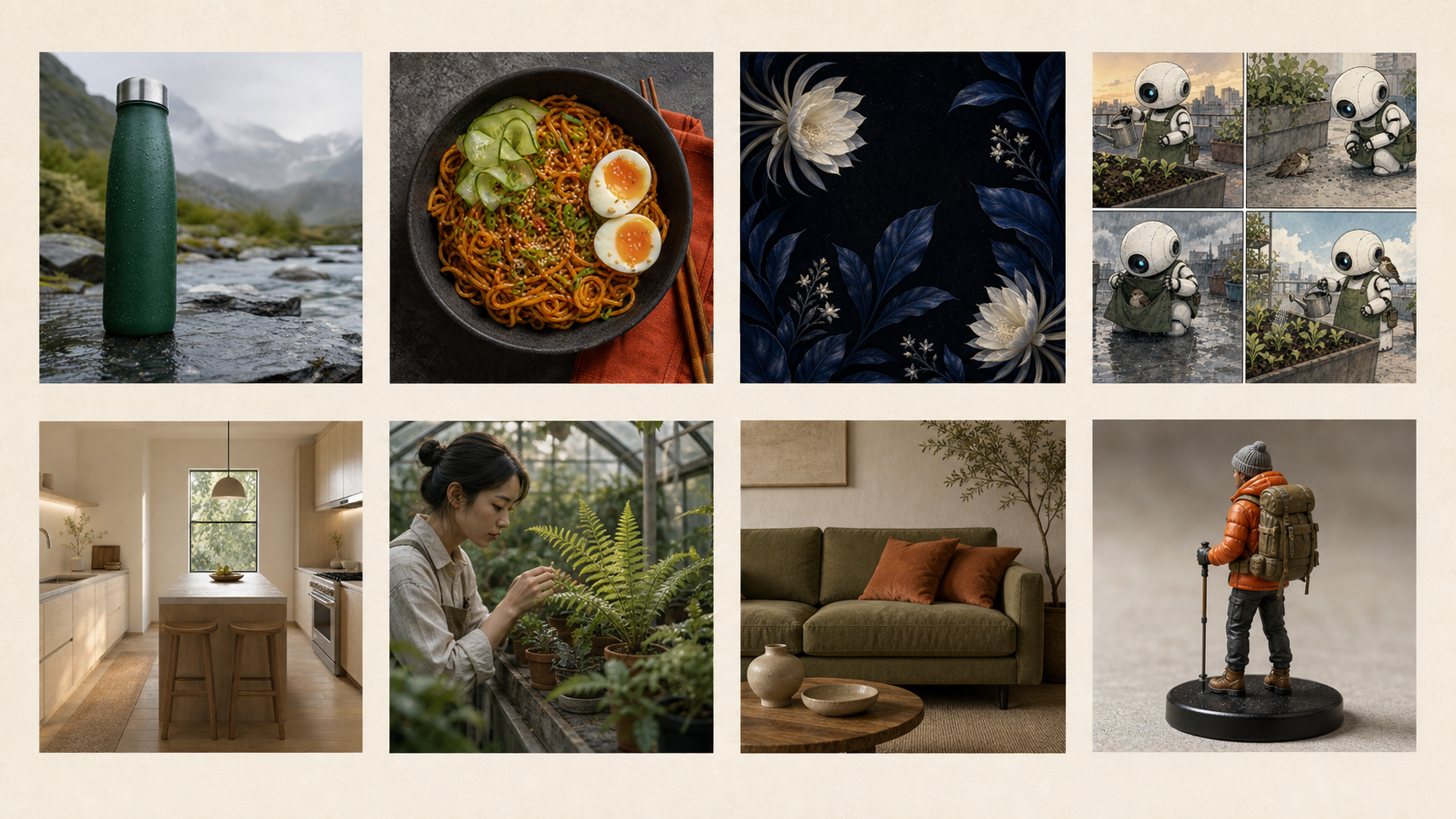
8 Best Nano Banana Prompts for Images and Photo Edits
Copy eight of the best Nano Banana prompts for product photos, portraits, posters, interiors, figurines, storyboards, and sketch-to-image edits.
The best Nano Banana prompts are practical creative briefs you can copy, understand, and adapt to a real image job. The eight examples below cover product photography, food content, environmental portraits, posters with text, precise interior edits, collectible figurines, storyboards, and sketch-to-render work. Each prompt names a visible outcome, controls only the details that matter, and is paired with one distinct illustrative result. Use a text-only prompt when inventing a scene; upload a source image when identity, layout, or geometry must survive an edit. Always inspect the result rather than assuming every written constraint was followed.
You can test a text-to-image example in the EIMG AI Image Generator, or use the image-to-image workspace for the prompts that require an uploaded photo or sketch. If you want to learn the decisions behind these examples, start with the Nano Banana prompt guide.
For a dedicated 4K workflow with up to eight reference images and the current task price shown before generation, use the Nano Banana Pro image generator.
Best Nano Banana prompts at a glance
Google's current image-generation documentation recommends describing visible details such as subject, setting, composition, light, and style, while its official Nano Banana editing tips emphasize precise changes, consistency, and iterative refinement. The right amount of detail depends on the job: a new campaign image needs a complete scene, while a source-based edit needs strict preservation instructions.
| Prompt | Best for | Input needed | Main control |
|---|---|---|---|
| Alpine bottle hero | Ecommerce landing pages | Text | Product count, materials, copy space |
| Sesame noodles | Restaurant and social content | Text | Food styling, overhead layout, props |
| Greenhouse botanist | Editorial portraits | Text | Activity, environment, documentary tone |
| Night Bloom poster | Event concepts | Text | Exact copy, hierarchy, botanical framing |
| Olive sofa edit | Interior variations | Room photo | Narrow change and protected details |
| Hiker figurine | Collectible concepts | Full-body photo | Identity, outfit, scale, display setting |
| Rooftop robot | Storyboards | Text | Character consistency and panel sequence |
| Japandi kitchen | Sketch visualization | Perspective sketch | Layout preservation, materials, daylight |
These are not eight versions of one template. Product geometry, typography, identity preservation, and sequential storytelling fail for different reasons, so each prompt uses a structure appropriate to its acceptance test.
1. Product hero prompt with usable copy space
Use this prompt when a product should feel grounded in a real environment but still behave like a clean ecommerce asset. It limits the scene to one bottle, defines the wet materials, and reserves a specific area for later page copy.
Create a photorealistic 16:9 ecommerce hero image of a matte forest-green insulated water bottle with a brushed stainless-steel cap, standing on a rain-darkened slate rock beside a clear alpine stream. Use soft overcast morning light, a low three-quarter camera angle, crisp condensation beads, and restrained reflections. Keep one bottle as the only product, leave clean negative space on the right for page copy, and include no label text, logo, people, or watermark.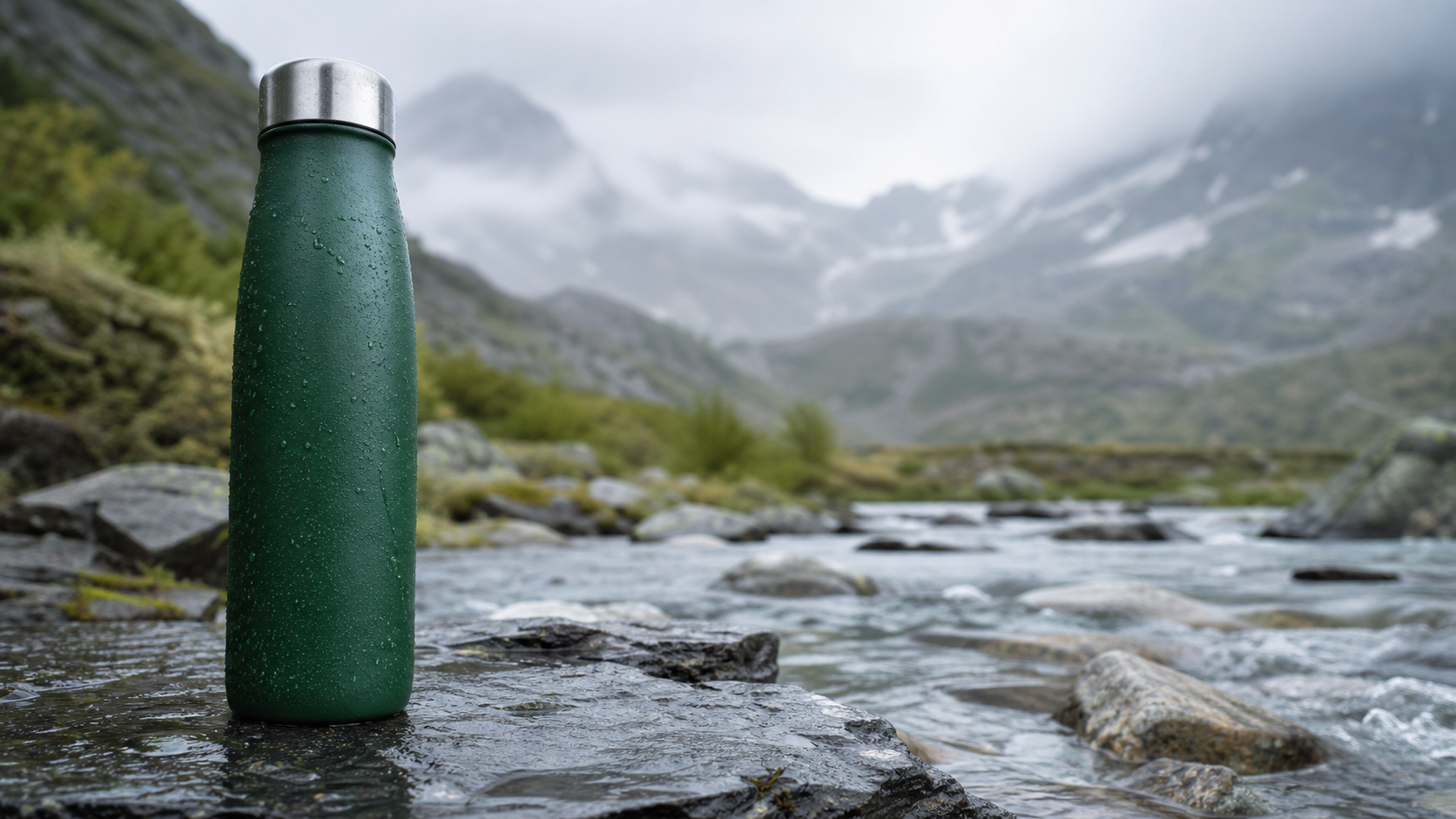
Illustrative example: the single product, wet materials, low viewpoint, and right-side copy space turn a generic bottle request into a usable ecommerce hero.
The product is placed on the left because the prompt reserves the right for copy. If your design uses the opposite layout, change the placement and copy-space side together. Useful non-runnable variables are [product and material], [natural setting], and [copy-space side].
2. Food prompt for a portrait social post
Food images need more than a dish name. The camera angle, vessel, toppings, surface, and prop count determine whether the result resembles a menu image, a casual phone photo, or a polished social asset.
Create a 4:5 editorial food photograph of a shallow charcoal bowl filled with glossy spicy sesame noodles, topped with sliced scallions, toasted sesame, cucumber ribbons, and one soft-boiled egg cut in half. Shoot from directly overhead on a textured dark-stone table with a folded rust-colored napkin and chopsticks placed neatly beside the bowl. Use soft window light, realistic food texture, and rich but natural color. Include no packaging, restaurant logo, text, hands, or watermark.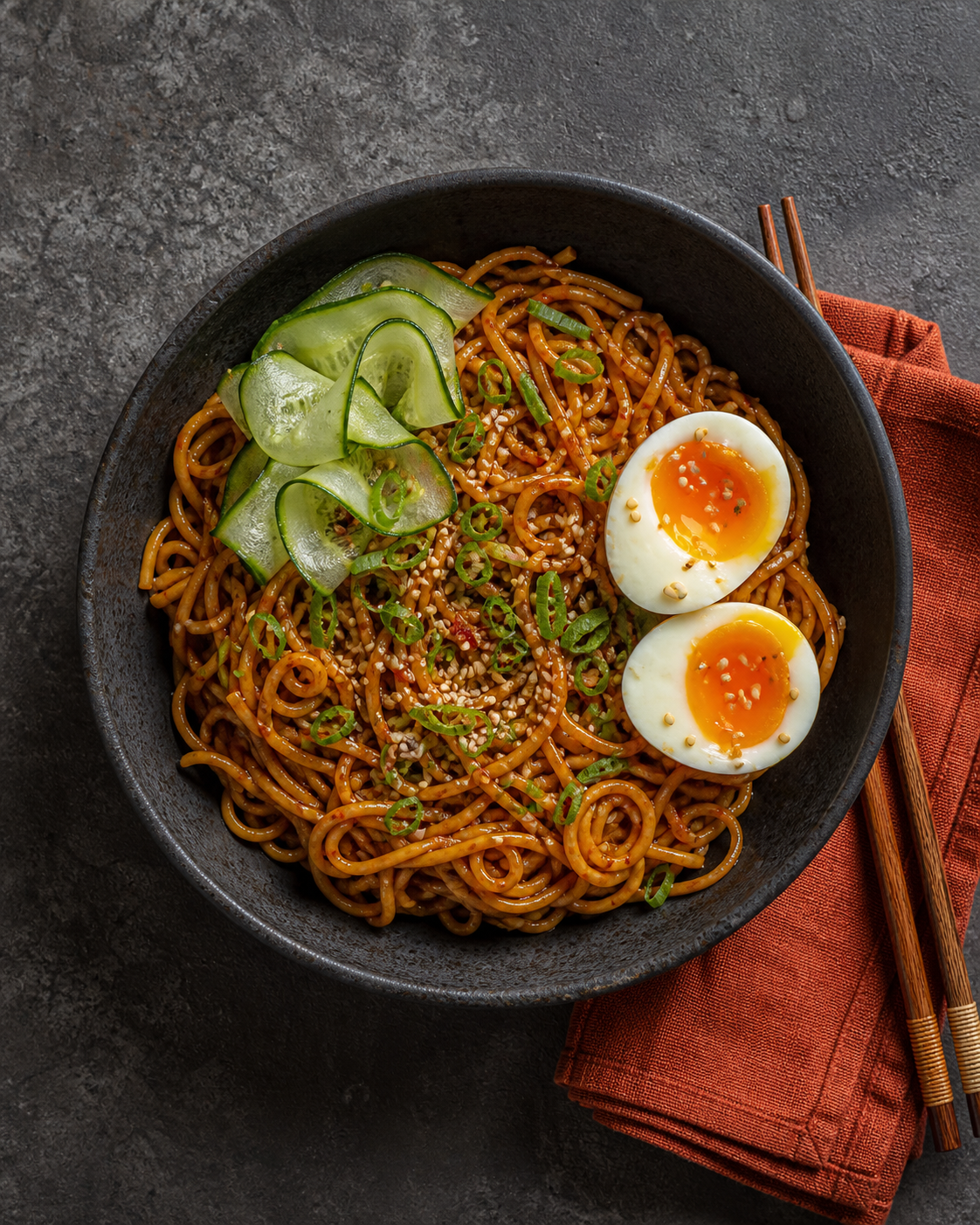
Illustrative example: the overhead framing, specific toppings, and restrained props create a social-ready food image without relying on a real restaurant brand.
The 4:5 format suits a portrait feed placement, while the overhead view makes the ingredient arrangement easy to judge. Adapt the non-runnable fragments [dish and serving vessel], [essential toppings], and [surface plus two supporting props] without filling the frame with unrelated tableware.
3. Environmental portrait prompt with a real activity
An environmental portrait becomes more believable when the person is occupied with a specific task. Here, the fern, notebook, greenhouse humidity, practical clothing, and hand action all support the subject's role.
Create a candid environmental portrait of a Black woman botanist in her late thirties inspecting the underside of a large fern inside a humid glass greenhouse. Frame a waist-up three-quarter view with a 50mm documentary feel; show practical field clothing, a small notebook tucked under one arm, condensation on the glass, layered green foliage, and diffused morning light. Keep her expression observant and absorbed in the work, with natural skin texture and anatomically plausible hands. No glamour posing, text, logo, or watermark.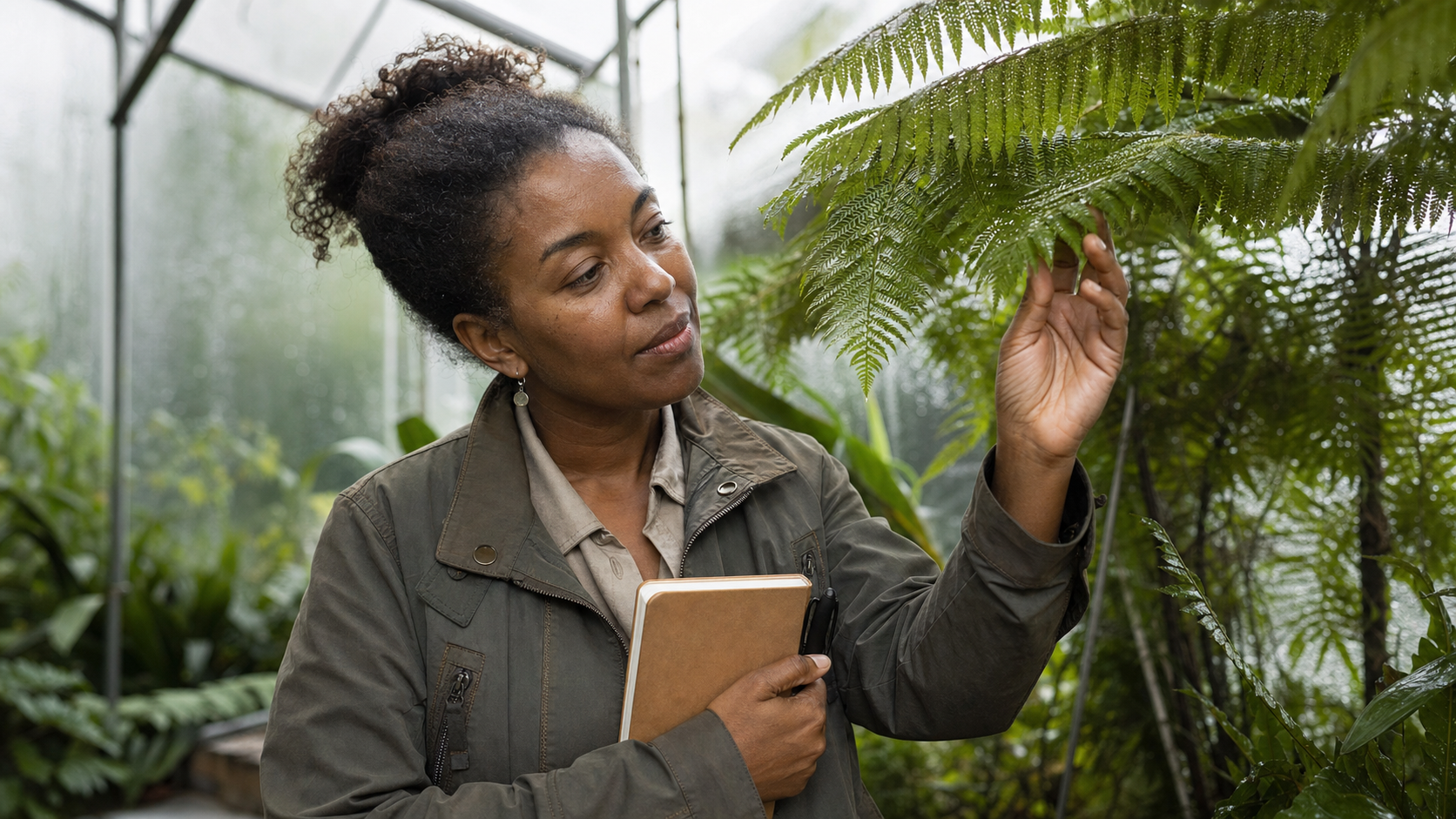
Illustrative example: a precise activity, working environment, and documentary framing make the portrait feel observed rather than staged.
The prompt does not ask the subject to look at the camera because that would compete with the inspection action. When adapting it, keep [profession or role], [visible task], and [evidence of the working environment] aligned so the props do not feel decorative.
4. Nano Banana poster prompt with exact text
Text rendering needs an acceptance test. This example limits the poster to two short lines, quotes both lines, defines their hierarchy, and explicitly prohibits any additional copy.
Design a vertical 4:5 botanical night-event poster with the exact headline “NIGHT BLOOM” in large ivory condensed sans-serif letters and the exact subline “FRIDAY 9 PM” in small uppercase type beneath it. Surround the typography with deep-indigo leaves and pale moonlit flowers that curve inward without covering the words. Use a near-black background, subtle silver grain, strong hierarchy, and generous margins. Render only those two text lines exactly once; no logos, extra words, border, or watermark.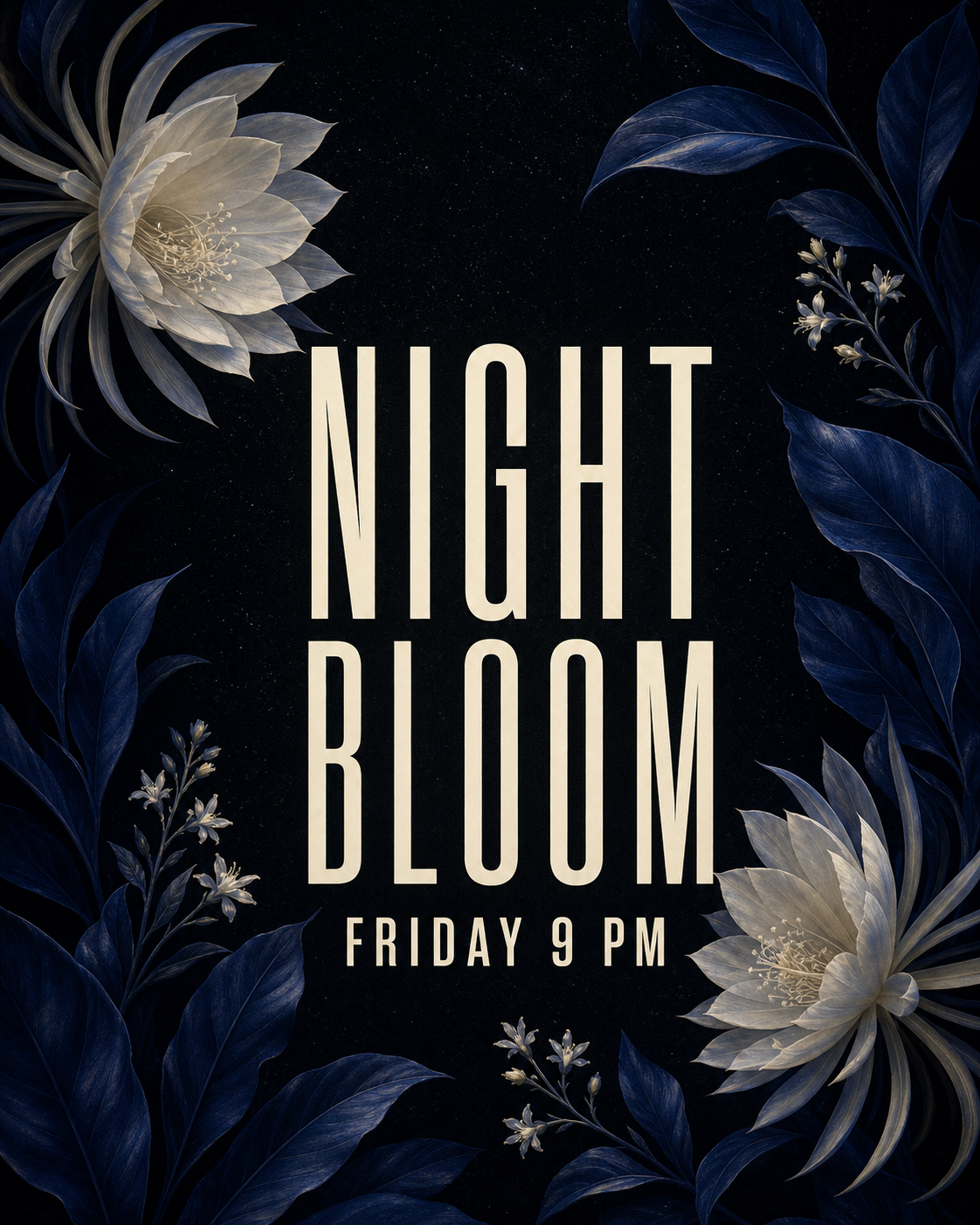
Illustrative example: limiting the copy to two exact lines gives the typography a clear acceptance test while the foliage supports the event mood.
Check generated text character by character. A visually strong poster still fails if a letter is duplicated, the time changes, or extra pseudo-copy appears. For adaptation, replace only the non-runnable variables [short headline], [short supporting line], and [visual motif that frames rather than overlaps the text].
5. Precise interior editing prompt
Editing prompts should describe both the change and the invariants. This one changes upholstery and cushions while protecting the room, perspective, light, shadows, and every unrelated object.
Using the uploaded living-room photo, change only the beige sofa upholstery to deep olive-green linen and replace the two patterned cushions with solid rust-colored cushions. Preserve the sofa shape, room layout, camera angle, daylight direction, wall art, oak floor, plants, rug, shadows, and every other object exactly as shown. Match the new fabric and cushions to the existing perspective and light. Add no furniture, decorations, text, logo, or watermark.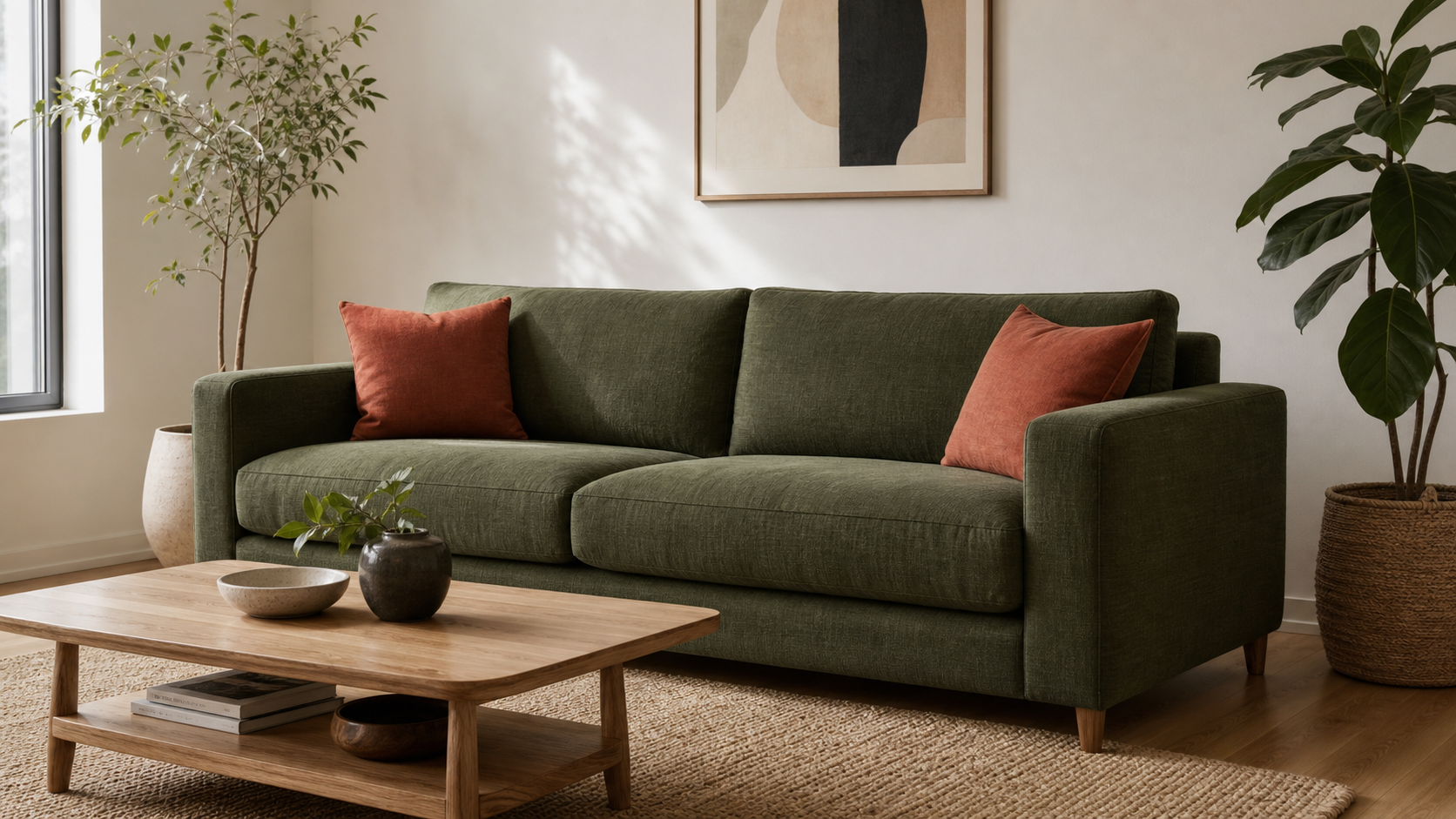
Illustrative example: this target result shows the requested olive linen and rust accents; in a real edit, compare it with the source to confirm every protected detail stayed fixed.
Because this illustration does not include the source photo, it demonstrates only the target state. A real edit passes only when a before-and-after comparison confirms that protected geometry, objects, perspective, and lighting remained stable. The critical fragments are [change only] and [preserve exactly].
6. Figurine prompt based on a full-body photo
A figurine transformation needs the source subject, preservation details, scale, material, and display context. Removing packaging and printed names also reduces opportunities for invented branding.
Using the uploaded full-body photo of a hiker in an orange shell jacket, charcoal hiking trousers, and gray trail shoes, create a realistic 1:7 scale collectible figurine that preserves the person’s face, hairstyle, outfit colors, body proportions, and relaxed standing pose. Place the figurine on a plain black circular base on a clean wooden shelf, with a softly blurred room behind it. Show painted resin texture and believable miniature seams. Include no retail box, printed name, extra accessories, logo, text, or watermark.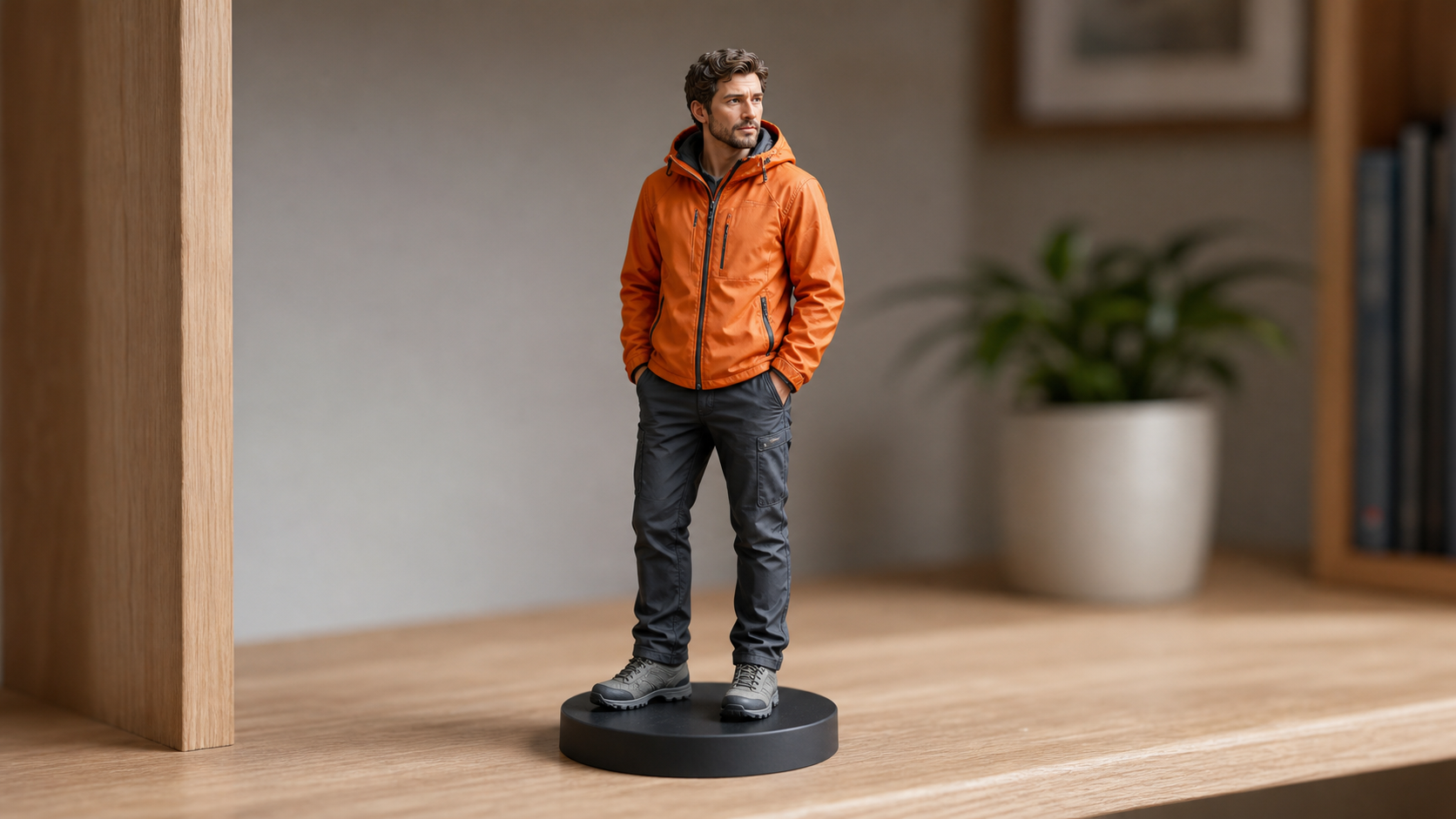
Illustrative example: the target image shows the scale, material, pose, clothing colors, and display setting that a reference-photo conversion should preserve.
Use a clear full-body source with visible shoes and an unobstructed silhouette. When identity matters, judge the generated face and body against the upload rather than against the prompt alone. Relevant non-runnable variables are [source identity details], [scale and material], and [simple display context].
7. Four-panel storyboard prompt with character consistency
Sequential images are easier to evaluate when the character anchor stays short and each panel contains one action. The robot's head, eye, apron, and proportions are repeated as invariants across the sequence.
Create a four-panel 16:9 storyboard featuring the same small white service robot with a round head, one blue camera eye, and a moss-green utility apron in every panel. Panel 1: it waters seedlings in a rooftop garden at sunrise. Panel 2: it notices a small injured sparrow beside a planter. Panel 3: it shelters the bird under its apron during a brief rain shower. Panel 4: the robot resumes watering while the recovered sparrow perches on its shoulder. Use expressive black ink lines, muted watercolor washes, consistent robot proportions, clear panel borders, and no captions, speech bubbles, logos, or watermark.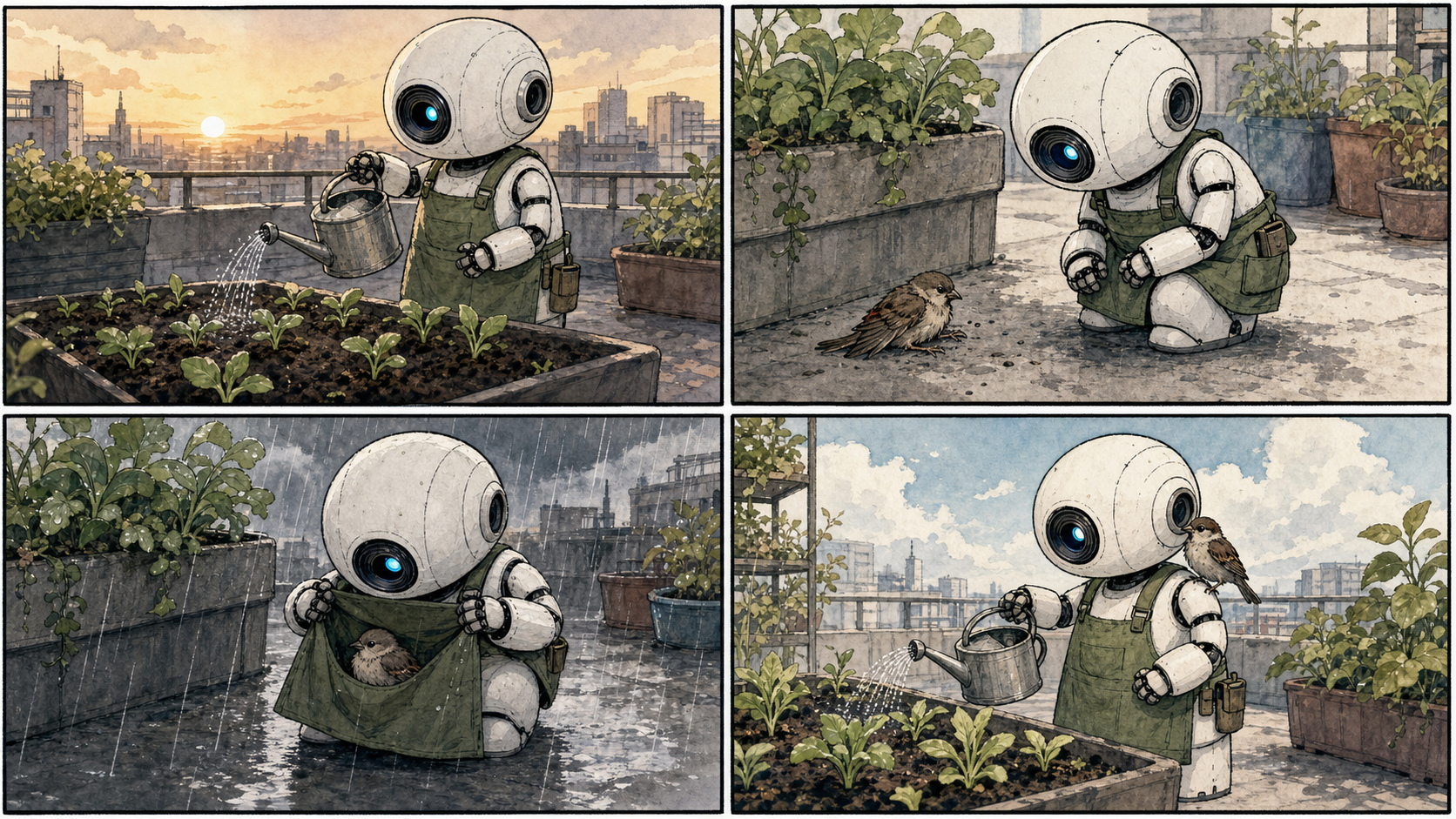
Illustrative example: fixed character traits and one action per panel make the four-step story easy to follow and easier to evaluate for consistency.
Review the result in two passes: first read the action sequence, then compare the character design across all panels. The storyboard is unsuccessful if the plot is clear but the robot changes shape. Keep [character anchor], [one action per panel], and [single visual medium] stable.
8. Sketch-to-render prompt that protects perspective
A sketch-to-render prompt should treat the drawing as the authority for geometry. Materials and light can change the finish, but they should not invent a different room.
Turn the uploaded black-and-white perspective sketch of a compact galley kitchen into a photorealistic Japandi interior while preserving the exact cabinet layout, island dimensions, window position, camera angle, and perspective lines. Use pale oak flat-panel cabinets, warm white plaster walls, light-gray stone counters, two simple oak stools, brushed-steel fixtures, and soft late-afternoon daylight through the existing window. Keep surfaces uncluttered and add no new doors, windows, cabinets, text, logos, or watermark.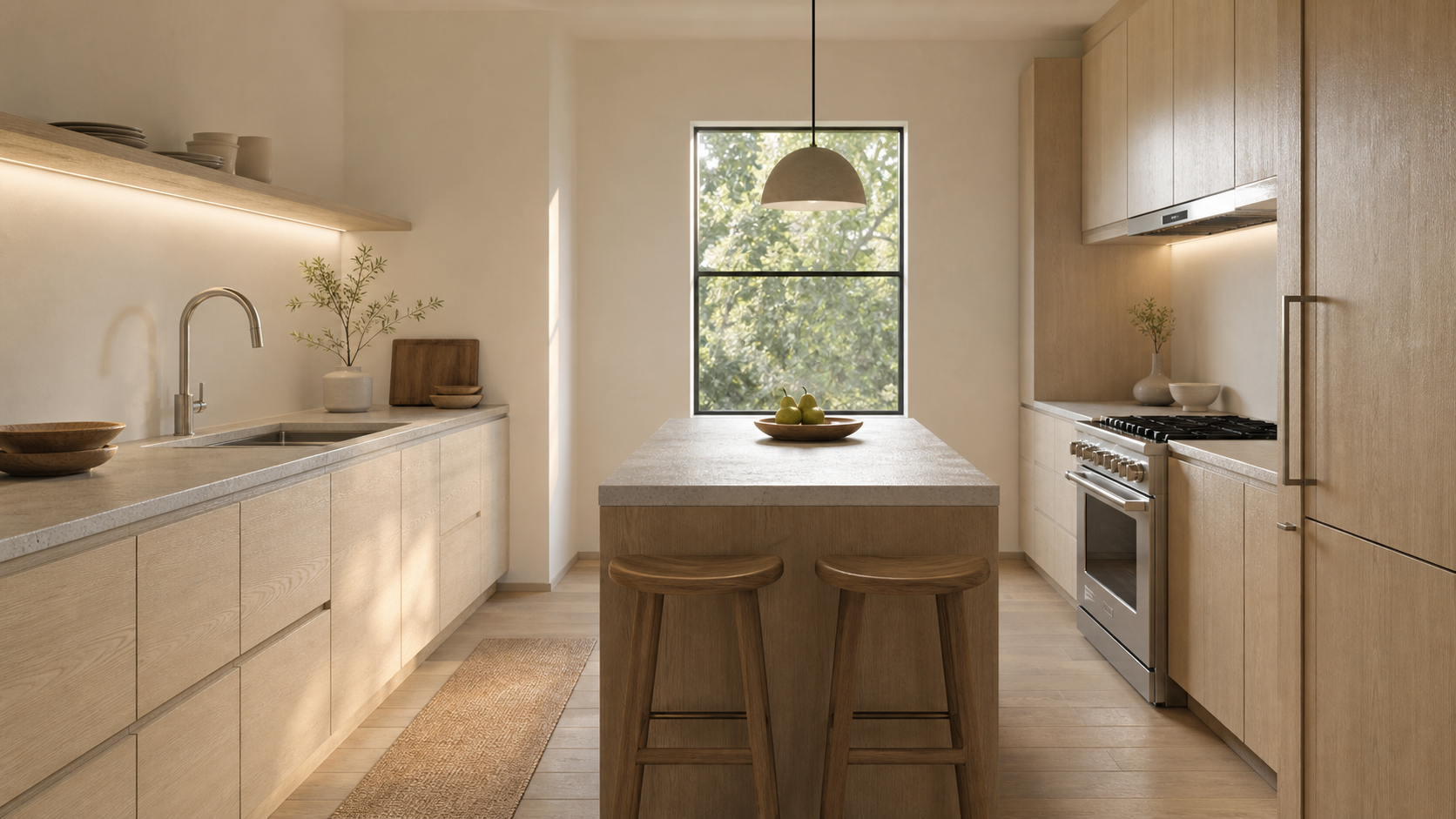
Illustrative example: the material and lighting direction produce a plausible final kitchen while the source sketch should remain the authority for layout and perspective.
Before accepting the render, compare the window, cabinet runs, island edges, stool count, and vanishing lines with the sketch. Styling is secondary to spatial fidelity. The non-runnable variables are [fixed geometry], [material palette], and [light entering from the existing opening].
Which Nano Banana prompt mode should you use?
| Workflow | Choose it when | What the prompt must control |
|---|---|---|
| Text to image | The scene does not exist yet | Subject, action, environment, composition, light, and medium |
| Single-image edit | One source should mostly remain intact | Small change, protected elements, perspective, light, and shadows |
| Reference transformation | Identity, product, outfit, or pose must carry into a new format | Source role, identity invariants, material or style, and destination context |
| Sketch to render | A drawing defines spatial layout | Geometry, camera, perspective, materials, and prohibited additions |
Text prompts cannot preserve source details that were never supplied. Conversely, uploading a reference does not remove the need to state what the image is for or what may change. The Nano Banana 2 generator is useful for testing current model and output settings, while the broader Nano Banana prompts gallery can help you find additional visual directions.
How to customize these prompts without weakening them
- Keep the image job fixed. Decide whether the result is a hero, social post, portrait, poster, edit, collectible, storyboard, or render.
- Replace related variables together. If the product moves to the right, move the requested copy space to the left. If the setting changes, update light and materials only when the new environment requires it.
- Protect source-dependent details. For an edit, list the identity, geometry, layout, perspective, light, shadows, and objects that must survive.
- Limit typography. Use short quoted copy, state hierarchy and placement, and reject misspellings or extra text.
- Inspect the largest risk first. Check identity before texture, layout before decor, text accuracy before poster polish, and panel consistency before watercolor detail.
- Refine one issue at a time. A narrow follow-up makes it easier to see whether the requested correction worked.
The structural Nano Banana prompt guide explains why these decisions work. This page is the companion library: choose the closest image job, preserve its logic, and replace only the variables relevant to your scene.
Frequently asked questions
What are the best Nano Banana prompts?
The best Nano Banana prompts describe a real image job and make the result easy to judge. They identify the subject and action, setting, composition, light or medium, and only the constraints that matter. For edits, they also separate the requested change from the details that must remain unchanged.
Do Nano Banana prompts need to be long?
No. A useful prompt needs enough detail to remove important ambiguity, not a fixed word count. A short edit can work when the source image supplies most of the context. A new product campaign or multi-panel story usually needs more direction because the model must construct the scene, hierarchy, and style.
Can I use these prompts with different Nano Banana models?
Yes. These prompts are model-agnostic creative briefs, so they can be tested across the Nano Banana image-model family. Results can still vary with the selected model, reference images, aspect ratio, resolution, and product surface. Keep the creative brief stable when comparing models so the comparison remains meaningful.
How do I write a Nano Banana editing prompt?
Name the source image, state the smallest intended change, and list the details that must remain invariant. Those details may include identity, pose, product geometry, room layout, perspective, lighting direction, shadows, or background objects. A narrow edit is easier to verify and less likely to cause unrelated changes.
How can I improve text in a Nano Banana poster?
Keep the copy short, quote it exactly, define the hierarchy, and limit the number of text regions. State how many times each line should appear and prohibit extra words. Even with a capable model, inspect spelling, punctuation, line breaks, and duplicated letters before treating a generated poster as final artwork.
When should I upload a reference image?
Upload a reference when the task depends on an existing identity, product, layout, pose, sketch, or room. Text alone is suitable when you are inventing a new scene. Reference images become important when success means preserving something specific rather than merely creating a visually similar idea.
Try one prompt with a real image job
Choose the example closest to your goal, change only the subject-specific variables, and generate a first result in the EIMG AI Image Generator. For room edits, figurines, or sketch conversion, open the image-to-image workflow and compare the result directly with your upload before accepting it.
Author
Categories
More Posts
What Is Nano Banana AI? Tool, Features, and Use Cases
Learn what Nano Banana AI is, how it works, what it is best for, and how creators use it for AI image generation, editing, product photos, thumbnails, and social media visuals.

What Is Nano Banana? AI Image Generator Explained
Learn what Nano Banana is, how it works, who it is best for, and how creators use it for AI image generation, editing, product photos, and social media.
Advanced Image Editing Techniques with AI
Master professional image editing using Nano Banana's advanced AI tools
Newsletter
Join the community
Subscribe to our newsletter for the latest news and updates