nano-banana.com has evolved into EIMG AI, now at eimg.ai. Your account, credits, and creations are all here—bookmark our new address so you can always find us.

EIMG AI logoEIMG AI
  • Nano Banana 2NEW
  • Nano Banana Pro
  • My Creations
Upgrade Now
EIMG AI logoEIMG AI
Create New
Navigation
  • Home
  • AI Generator
  • Nano Banana 2.1
  • Nano Banana Pro
  • Nano Banana 2New
  • GPT Image 2.5New
  • Seedream 5.0 ProNew
  • GPT Image 2New
  • Text to Image
  • Image to Image
  • Image UpscalerNew
  • LoRAHot
  • Explore
  • Projects
  • API

Nano Banana 2.1

Nano Banana 2.1 AI Image Generator

Nano Banana 2.1 for clearer detail and design

Nano Banana 2.1 brings clearer typography, more natural image detail and steadier subjects to AI image generation and editing. Build a visual from a brief, then refine its composition, materials and lettering.

Open the workspaceExplore the capabilities
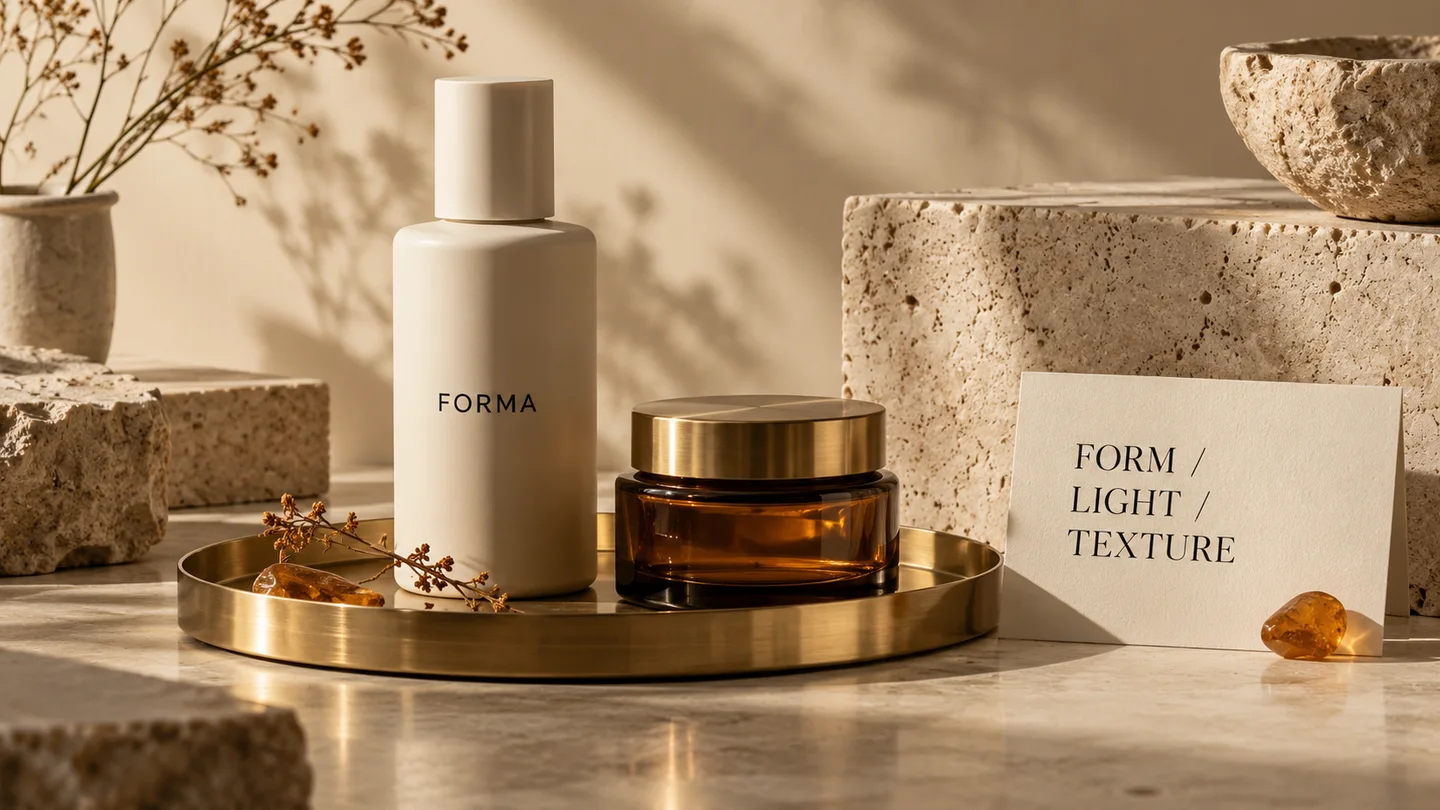
Concept product photograph with ivory packaging, amber glass and a typographic card
Concept illustration · Product materials and typography

1K–4K

Model output resolutions

Text + image

Generation and editing inputs

2.1

Updated Nano Banana model

Nano Banana 2 Image Generator

Generate professional-quality AI images at Flash speed with Nano Banana 2.

Nano Banana 2NEW
Pro quality at Flash speed with Gemini 3.1 Flash
12 credits/task
This will cost 12 credits (1K resolution).Credits available: 0
Max 20000 characters

Web Grounding

Use Google Search for real-time web grounding

Aspect Ratio

Output Format

Resolution

Result

3D Case Presentation

Sign in to view your generated images

Your generation history will appear here once you start creating images

What is Nano Banana 2.1?

Nano Banana 2.1 is an AI image generation and conversational editing model that updates Nano Banana 2. Its strengths center on visual quality, instruction following, text rendering and character consistency through successive edits.

A useful image often needs several decisions to work together: the right subject, a clear focal point, convincing light and space for the message. This model combines a written brief with reference images, so a product shape, a portrait or a layout can guide the result. It supports 1K, 2K and 4K output, while its wide-format improvements help with panoramic compositions. Think in terms of an image you can develop: establish the scene first, then refine a specific element without rewriting the whole creative direction.

Text-to-image workflowImage-to-image editingNano Banana 2Nano Banana Pro
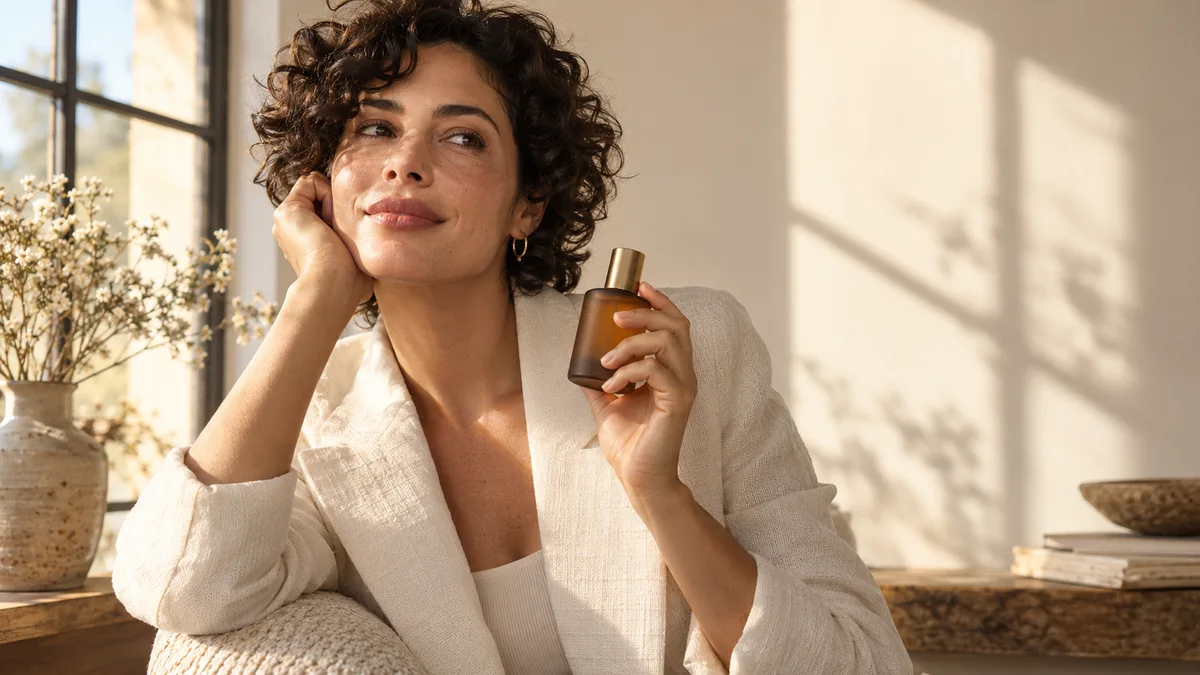
Concept portrait of a woman beside a studio window holding an amber bottle
Concept illustration · Portrait and product art direction

Design around the subject

A portrait, a product and a setting need a shared visual direction.

For a campaign image, describe how the person and product belong in the same frame. A warm window scene can connect skin, fabric and glass through one lighting choice. Give the reference portrait responsibility for identity, and the product image responsibility for packaging. Reserve a quieter part of the frame for a headline. These creative choices make the brief easier to interpret and help you judge an edit by what changed, rather than by whether the entire image simply looks different.

Nano Banana 2.1 capabilities

Capabilities for images that need to communicate a specific idea.

01

More natural visual detail

The update improves image realism and overall visual quality. In product photography, that makes lighting, surfaces and small details useful parts of the brief. Name the finish you want: frosted glass, woven cotton or matte ceramic. Keep the light direction consistent so the material reads clearly. A tightly framed image can emphasize a texture; a wider view can show how the object sits in its environment.

02

Text rendering and layout

Improved text rendering and infographic composition support images where words have a clear role. Supply the exact headline, then describe its position and relationship to the subject. A poster benefits from a readable title, a short supporting line and enough space between them. Treat small labels separately from the main message, and inspect the final spelling before using the graphic in a campaign.

03

Character consistency across edits

Multi-turn editing places more emphasis on keeping a subject recognizable as the scene develops. For a portrait series, retain the same reference and describe the requested change narrowly: a new background, a different jacket or softer light. State which facial and hairstyle details should remain. This gives a series a coherent identity while allowing variation in pose, crop and atmosphere.

04

Reference-image fusion

Multiple reference images can contribute different visual information to one composition. A product photograph may define the bottle, a room image may define the setting, and a style board may establish color. Explain those roles in ordinary language instead of assuming every reference has the same purpose. Choose clear views of important details and remove images that contradict the direction you want.

05

Cleaner wide compositions

The 2.1 update addresses tiling artifacts in extreme portrait and panoramic formats at 2K and 4K. This is relevant to wide compositions such as display banners, long landscape scenes and tall editorial artwork. Place the main subject deliberately, then describe what occupies the surrounding space. A consistent horizon and restrained background can make a panoramic image feel like a single scene.

06

Conversational image editing

Use a source image and a written instruction to develop a visual through successive changes. Describe both the edit and the elements that should stay: replace the wall color while keeping the camera angle, or simplify the props while retaining the product. Working on one decision at a time makes it easier to compare versions and choose the direction that best serves the original brief.

Prepare an image in three steps

Use the EIMG AI workspace with the model shown in its selector.

  1. 1

    Choose a mode and model

    Open the workspace and select text-to-image for a new scene or image editing for an existing visual. Check the visible model selection before you begin. Decide whether your image is mainly a portrait, a product photograph or a graphic layout.

  2. 2

    Add the brief and references

    Describe the subject, setting, lighting and composition. For editing, upload a clear reference and name the change you want. Choose the available aspect ratio and resolution to suit the final placement, with room for any text or crop.

  3. 3

    Review and refine

    Inspect the result at the size where people will see it. Check important product details, faces and lettering, then use a focused follow-up brief for the next version. Download the selected image through the workspace when it meets your needs.

Nano Banana 2.1 vs Nano Banana 2

Nano Banana 2.1 vs Nano Banana 2
CapabilityNano Banana 2Nano Banana 2.1
Main roleEfficient generation and editingUpdated generation and editing
Image detailExisting visual-quality baselineImproved realism and visual quality
TypographyText in generated imagesImproved text and infographic layouts
Sequential editsConversational refinementImproved subject consistency
Output sizes1K, 2K and 4K1K, 2K and 4K
Extreme formatsWide-format generationTiling correction at 2K and 4K

Write a brief the image can follow

Start with the subject and the purpose of the image. Add a setting, a camera position and one coherent lighting direction. If lettering matters, quote the exact text and describe its size and placement. For reference images, assign each a role and identify the details to retain. A focused edit should say what changes and what remains; a long list of competing styles makes the desired result harder to judge.

Product campaign brief

Create a wide product campaign image using the uploaded bottle as the packaging reference. Keep its ivory color, proportions and black label. Place it on a pale stone shelf with warm light from the left. Leave open space on the right for the headline “Quiet mornings”, with a small line below reading “Daily care”. Use a restrained editorial composition and realistic material detail.

Focused follow-up

Keep the bottle, headline and camera angle. Replace the stone shelf with brushed metal and make the background a warmer cream. Retain the same light direction.

Where the update fits

Product campaigns

Develop packaging scenes with a consistent product shape, a considered material palette and a clear message. Use the same visual direction across a hero image, a square social crop and a vertical campaign concept.

Posters and visual explainers

Combine a short headline with an image or a small set of explanatory elements. Establish reading order before adding decorative detail, so the graphic remains useful at the size where it will be shared.

Portraits and character series

Build a sequence around a recognizable person or character. Keep a stable reference, then vary the environment and styling through specific edits. Compare facial details and silhouette across the chosen images.

Nano Banana 2.1 questions

What changes in Nano Banana 2.1?

The update concentrates on image quality, instruction following, text rendering and consistency through multiple edits. It also addresses tiling artifacts in extreme aspect ratios at 2K and 4K.

Can it create images from a written prompt?

Yes. Text-to-image generation lets a brief describe the subject, setting and visual style. Include the composition and lighting when those choices are important to the image.

Can I edit an existing photograph?

Yes. Image-and-text editing can change elements, style or color in an existing image. State which parts should stay intact so the edit has a clear scope.

Does the model support 4K?

The model supports 1K, 2K and 4K outputs. Choose an output size based on the image's intended use; the available options in EIMG AI follow the model currently selected in the workspace.

How should I prepare reference images?

Use clear images that show the details you need to preserve. Explain whether each reference defines a person, an object, a setting or a visual style, and avoid contradictory examples.

Can it put readable text into an image?

Improved typography is one of the update's main capabilities. Provide short, exact text and a clear layout. Check spelling and legibility in the finished image before publishing it.

How do I keep the same character?

Keep the same identity reference and describe each change specifically. Mention stable features such as hairstyle and face shape; review the selected results together to judge continuity.

Which model does the EIMG AI workspace use?

The visible model selector identifies the model used for generation. Choose an available model there before submitting your prompt, and check its displayed options and cost.

Bring a clear idea to the workspace

Prepare your brief, choose a model in EIMG AI and develop a visual through focused changes. Keep the subject and the message at the center of each version.

Open the workspace
EIMG AI logoEIMG AI

Create Stunning Images with AI

Product
  • Pricing
  • Blog
  • FAQ
Other Services
  • Nano Banana Pro
  • Nano Banana 2
  • Nano Banana 2 Lite
  • Veo 3.1
  • Seedance 2.0
  • Gemini Omni
  • Sora 2
  • Prompts
  • AI Shorts
  • YuE2
Legal
  • Cookie Policy
  • Refund Policy
  • Privacy Policy
  • Terms of Service
Company
  • support@eimg.ai
  • AITOOLVERSE LTD
  • Office 15761 Initial Business Centre, Unit 7 Wilson Business Park, Manchester, England, M40 8WN, United Kingdom
© 2026 EIMG AI All Rights Reserved.•@Aitoolverse
Stripe ClimateContact